Text to Lottie
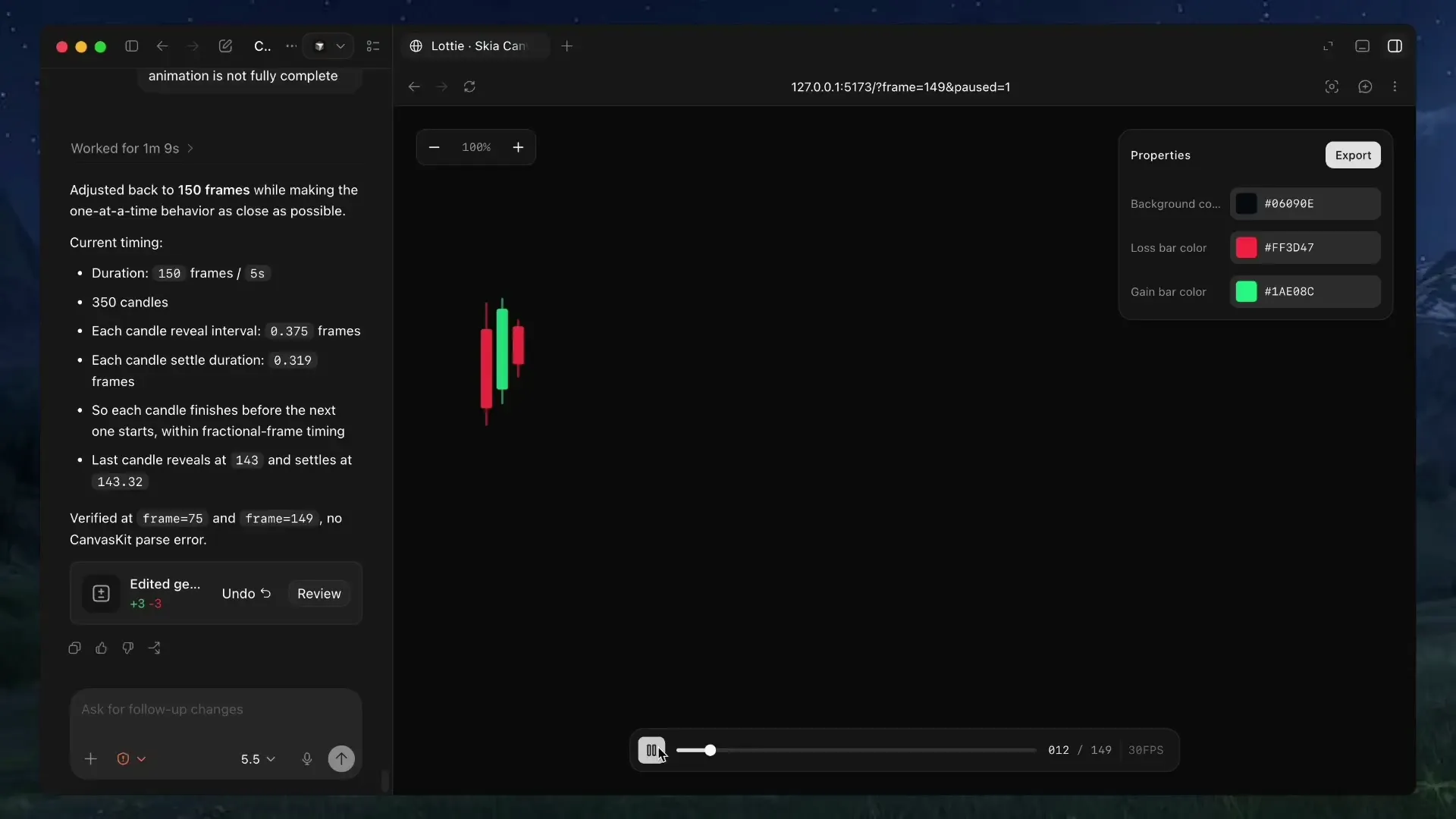
We released text-to-lottie, an open-source skill and harness for generating production-ready Lottie animations with coding agents. Install it and describe what you want. The agent builds the animation.
npx skills add diffusionstudio/lottieHow it works
The skill sets up a workspace with a built-in player. Each animation lives as a scene inside a project, and scenes load automatically from public/projects/<project>/<scene>/lottie.json. As the agent edits, the player live-updates so you can inspect, scrub, and refine the result in real time.
The agent handles the full Lottie spec. It creates layers, shapes, keyframes, easing curves, and group transforms directly in JSON. You describe the motion, and the agent writes the file.
What it’s good at
Text-to-lottie works best for short, single-scene animations and motion graphics. It is especially effective for animating SVGs and creating data-driven animations. The agent excels at generating Lottie files algorithmically from structured data, whether that is a candlestick chart with hundreds of data points or a logo reveal with precise trim-path timing.
Prompt tips
Getting good results comes down to how you prompt. A few principles that make a difference:
- Ground the model. Provide SVGs, real-world data, or screenshots whenever possible. Results are significantly better when the animation is based on concrete assets.
- Use motion design terminology. Describe timing and movement with terms like ease-in, ease-out, and ease-in-out. The agent understands these and translates them directly into Lottie keyframe curves.
- Think like a camera operator. Include camera pushes, pans, zooms, and rig-like motion in your prompt. The agent simulates these through group transforms.
- Request the controls you need. By default, outputs usually only expose a background color control. If you want to customize other properties, ask the agent to create controls for them.
- Specify FPS and duration. If your animation requires a specific frame rate or length, include the desired FPS and total frame count in the prompt.
Example prompts
Here are a few prompts that show what is possible:
A premium fintech Lottie of a transparent-background candlestick chart with 350 real TSLA-style red/green candles revealing rapidly left to right; each slim candle grows vertically into its OHLC body and matching-color wick, with tight spacing, natural clustered volatility, no grid or labels, and a single parent camera group that briefly holds then pans smoothly with ease-out motion across the forming market trend in a 150-frame, 30 FPS composition.
Create a Lottie animation from the Spotify SVG logo where the circular mark pops in, the three internal mark strokes draw on with trim-path animation, and the wordmark characters rise from below while fading in sequentially. Add editable Skottie slots for the logo color and mark stroke width, with preview controls for both.
Create a Lottie animation from the SVG path in github.com/JaceThings/SF-Hello/blob/main/SVG/hello-en.svg. Reveal the path with an animation that follows the natural path direction. Apply a premium apple themed gradient to the path. Use ease-in-out timing, a transparent background, and preserve the original SVG geometry.
Use anywhere
The generated Lottie JSON files work everywhere Lottie is supported. Use them on the web with lottie-web, in React Native, iOS, Android, or Flutter. They can also be imported into After Effects for further refinement.
Open source
Text-to-lottie is open source. View the code, prompt guide, and examples on GitHub.