Text animations
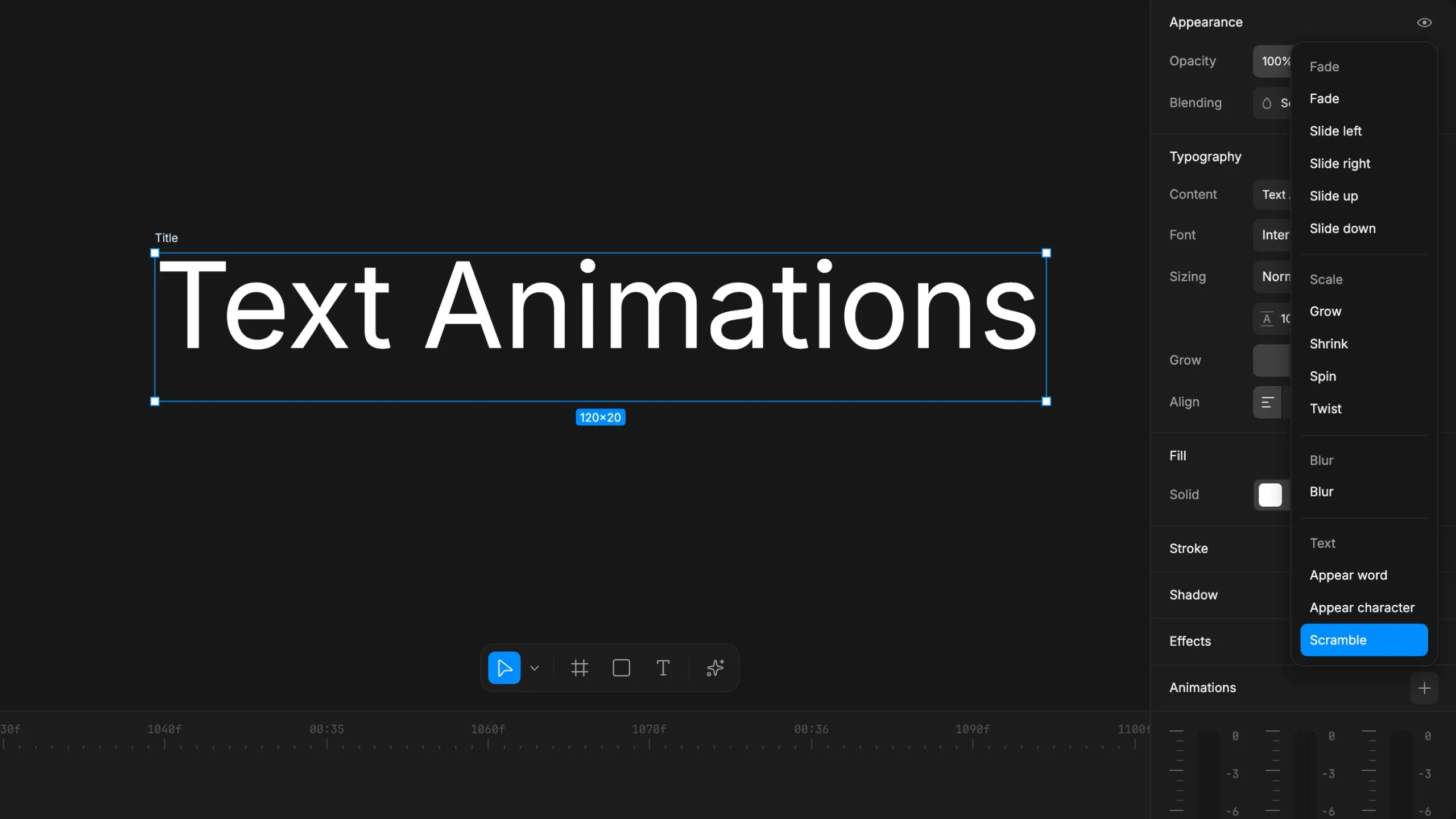
Text in Diffusion Studio just got a lot more expressive. This update introduces text animations, expanded keyframe support, and a set of editor improvements that make motion work faster and more precise.
Text animations
Three new text-specific animations are available: Appear word, Appear character, and Scramble. Each one gives you fine control over how text enters a scene, whether you want words revealing one at a time, characters typing in sequentially, or a scramble animation that resolves into your final copy.
These join the full animation library, which includes Fade, Slide, Scale, Spin, Twist, and Blur animations. All of them are now stable and work reliably with the new text animations system. Apply them from the animations panel, combine them, and preview instantly on the canvas.
Keyframes for colors and gradients
Keyframes now support colors, gradient stops, and effects. You can animate gradient colors, stop positions, and blend between states over time. Most properties across the editor are now keyframeable, which opens up a much wider range of motion design workflows without leaving Diffusion Studio.
Color input improvements
The color input is smarter. Type a color name like “red”, “blue”, or “white” and it resolves to the right value. Hex input handling is also improved, so partial or shorthand values are normalized automatically.
Resizable timeline
The timeline panel is now freely resizable. Drag to expand it when you need more room for keyframe editing or complex multi-track layouts. Pair it with compact track height to fit more tracks in view for bigger projects or detailed motion work.
What else is new
- Drawing rectangles, scenes, and text on the canvas is improved
- Timeline and playhead interactions have UX refinements
- Tooltips are now available on icon buttons across the sidebar and timeline
- Improved frame rate handling for smoother playback and export
- Export quality and stability improvements
- Bug fixes and performance improvements